Bhutan
Brazil
United Kingdom
Indonesia
Thailand
India
Colombia
Hong Kong
Philippines
France
Canada
Mexico
South Africa
Kenya
Turkey
Spain
Bangladesh
Portugal
Germany
Tunisia
Nigeria
Poland
Malaysia
Tajikistan
Chile
Mauritius
Vietnam
Ghana
Italy
Ecuador
Netherlands
Sweden
Greece
Saudi Arabia
Ukraine
Myanmar
Sri Lanka
Finland
Senegal
Afghanistan
Zimbabwe
Ethiopia
Egypt
Azerbaijan
Morocco
Cameroon
Romania
Estonia
Libya
Austria
Burundi
Cyprus
Angola
Bulgaria
Ireland
Cambodia
Uzbekistan
Iraq
Gabon
Niger
Nepal
Slovenia
Serbia
New Zealand
Armenia
Algeria
Belgium
Honduras
Australia
Slovakia
Sierra Leone
Paraguay
Chad
Macao
Haiti
Togo
Turkmenistan
Mali
Trinidad and Tobago
Jamaica
Peru
Uruguay
United Arab Emirates
Bosnia and Herzegovina
Comoros
Belarus
Denmark
Lebanon
Nicaragua
Qatar
Guinea-Bissau
Croatia
Benin
Mongolia
Albania
Georgia
Hungary
Montenegro
Timor-Leste
Mauritania
Liberia
Saint Kitts and Nevis
Guinea
Somalia
Dominican Republic
Brunei Darussalam
Sao Tome and Principe
Kuwait
Kyrgyzstan
Republic of the Congo
Malawi
Bahrain
Lesotho
Maldives
Israel
Jordan
Guatemala
Guadeloupe
Luxembourg
Costa Rica
Botswana
Panama
Grenada
Zambia
South Sudan
Mozambique
Gambia
Guyana
Eritrea
Lithuania
Suriname
Yemen
Aruba
Uganda
Oman
Rwanda
Latvia
Iceland
Pakistan
Norway
Japan
Switzerland
Kazakhstan
Samoa
Montserrat
Madagascar
Dominica
Cuba
Burkina Faso
Tonga
Liechtenstein
Djibouti
South Korea
Singapore
Greenland
Central African Republic
Equatorial Guinea
Gibraltar
New Caledonia
Monaco
Barbados
Puerto Rico
Seychelles
Belize
Saint Lucia
French Guiana
Anguilla
Antigua and Barbuda
American Samoa
Niue
Bermuda
China
Andorra
Côte d'Ivoire
United States of America
Bolivia (Plurinational State of)
Argentina
Czechia
Morocco
United Kingdom
Lao People's Democratic Republic
Republic of Moldova
Taiwan, Province of China
Iran
Sudan
Kongo
North Macedonia
Syria
Create a Facebook Account with a Virtual Number | No Real SIM Needed
Can't sign up for Facebook with your local number? Many users face issues like SMS not arriving or accounts getting blocked. The solution? Buy a Facebook virtual number from HidSim and register without hassle.
How to Sign Up for Facebook Using a Virtual Number:
- 1. Turn on your VPN and choose the same country as your virtual number (e.g., US).
- 2. Visit HidSim and get a number from the "Facebook Numbers" section.
- 3. Open the Facebook app or website and start the registration process.
- 4. Enter the virtual number and wait for the verification code.
- 5. Copy the code from your HidSim dashboard and paste it into Facebook.
Tips to Avoid Account Suspension:
- • Only create one account per number and avoid logging in from multiple devices right away.
- • Use a realistic name and photo to avoid getting flagged.
- • If no code arrives, cancel the number and try a new one.
Can't sign up for Facebook with your local number? Many users face issues like SMS not arriving or accounts getting blocked. The solution? Buy a Facebook virtual number from HidSim and register without hassle.
How to Sign Up for Facebook Using a Virtual Number:
- 1. Turn on your VPN and choose the same country as your virtual number (e.g., US).
- 2. Visit HidSim and get a number from the "Facebook Numbers" section.
- 3. Open the Facebook app or website and start the registration process.
- 4. Enter the virtual number and wait for the verification code.
- 5. Copy the code from your HidSim dashboard and paste it into Facebook.
Tips to Avoid Account Suspension:
- • Only create one account per number and avoid logging in from multiple devices right away.
- • Use a realistic name and photo to avoid getting flagged.
- • If no code arrives, cancel the number and try a new one.
Instant Delivery
Secure & Anonymous
Crypto Accepted
Only Pay for Received Codes
FAQ
Quick answers about buying numbers, receiving codes, refunds, and how long activations stay open.
How can I get a virtual number?
You can top up your balance using cryptocurrency or Visa cards. Additionally, you can install our app from the App Store or Google Play and purchase coin packages directly within the app. Once topped up, select the service and country you want, then purchase virtual numbers with your coins.
What happens if I don't receive Code?
If you don’t receive a code on your number, there could be multiple reasons, such as network issues or the sending service’s delay. In this case, you can cancel the activation and retry with a new number; the funds will be automatically refunded to your balance. Using a VPN or proxy from the country of the number might help improve delivery success.
How long are the numbers available for me?
When you purchase a number, it is available for one-time use, and you own it for 15 minutes. During this period, enter the number into the desired service. HidSim will monitor for the incoming code and display it in the activations tab inside our app. Once the code is received, the number is no longer active.
Why was my number blocked by a service?
Your number may be blocked due to usage patterns, IP address issues, or being flagged as robotic. To avoid this, use a realistic name and profile picture, engage in genuine conversations, avoid acquiring numbers too quickly, and consider using a VPN that matches the service’s country.
Why can't I receive a code in Telegram services?
For your first login in Telegram, avoid using laptops or tablets. Use a mobile phone to create your account initially. After your first Sign-up is completed, you can move your account to any other devices you prefer.
Can I receive a code for a number more than once?
No, it is not possible to receive a code for the same number more than once. Each virtual number is for one-time use only, and after receiving the code, it becomes inactive.
What should I do if SMS codes are not arriving in my region or provider?
If you have tried several times and no SMS verification code arrives, cancel the current activation so your balance can be refunded, then try a new number for the same service and country. Delivery can be affected by the sending service, regional routing, carrier/provider restrictions, or temporary network delays. If the problem continues, create a support ticket and include the service name, country, provider or region, activation ID, and the approximate time you tried so our team can check the issue.
How do I pay using Telegram Stars?
Purchasing credits through Telegram is a simple two-step process:
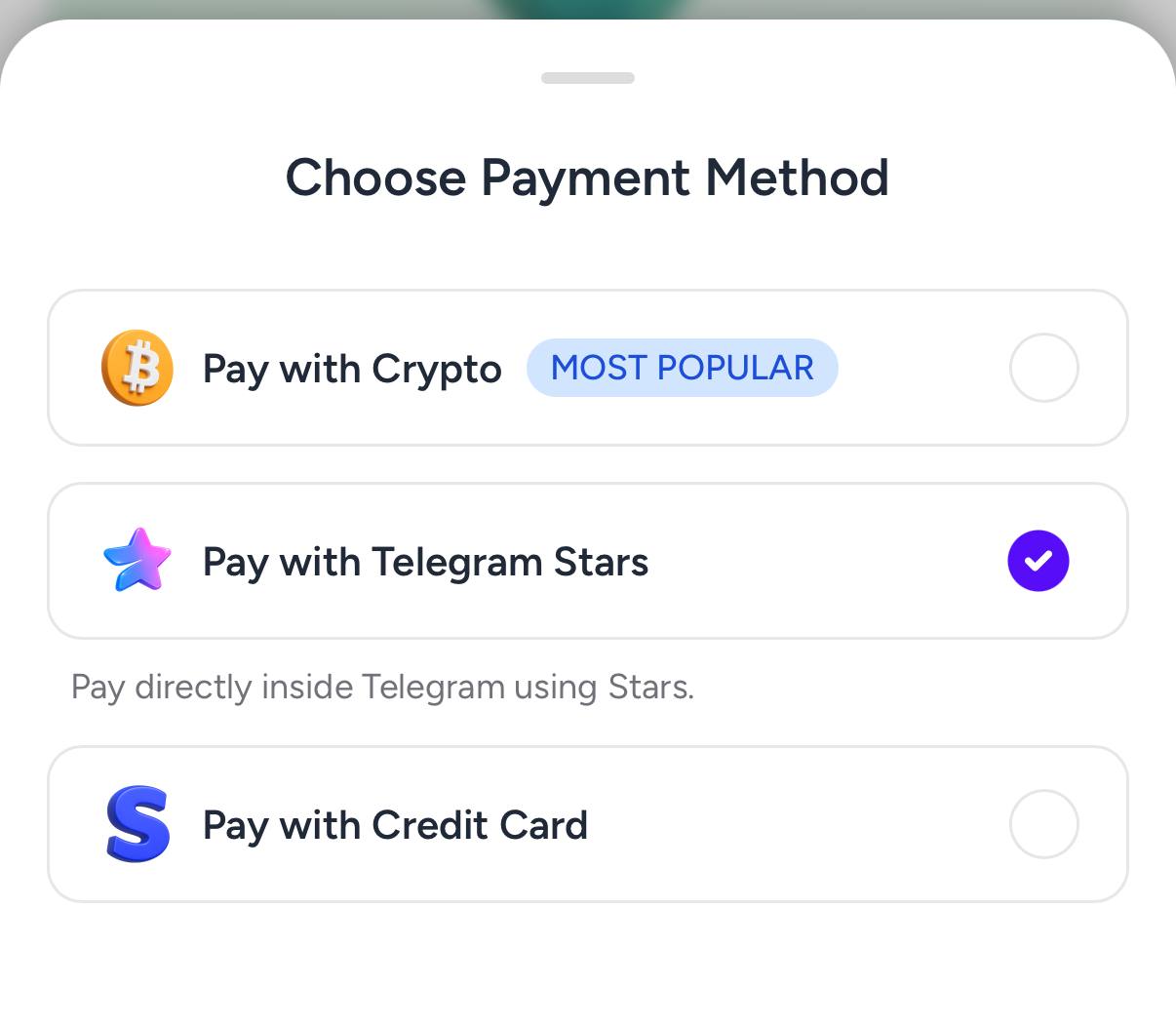
Step 1: Create the order on HidSim
Open the purchase page, choose your package, and select Pay with Telegram Stars. This generates a Telegram invoice link for your order.
 Step 2: Buy Stars in Telegram
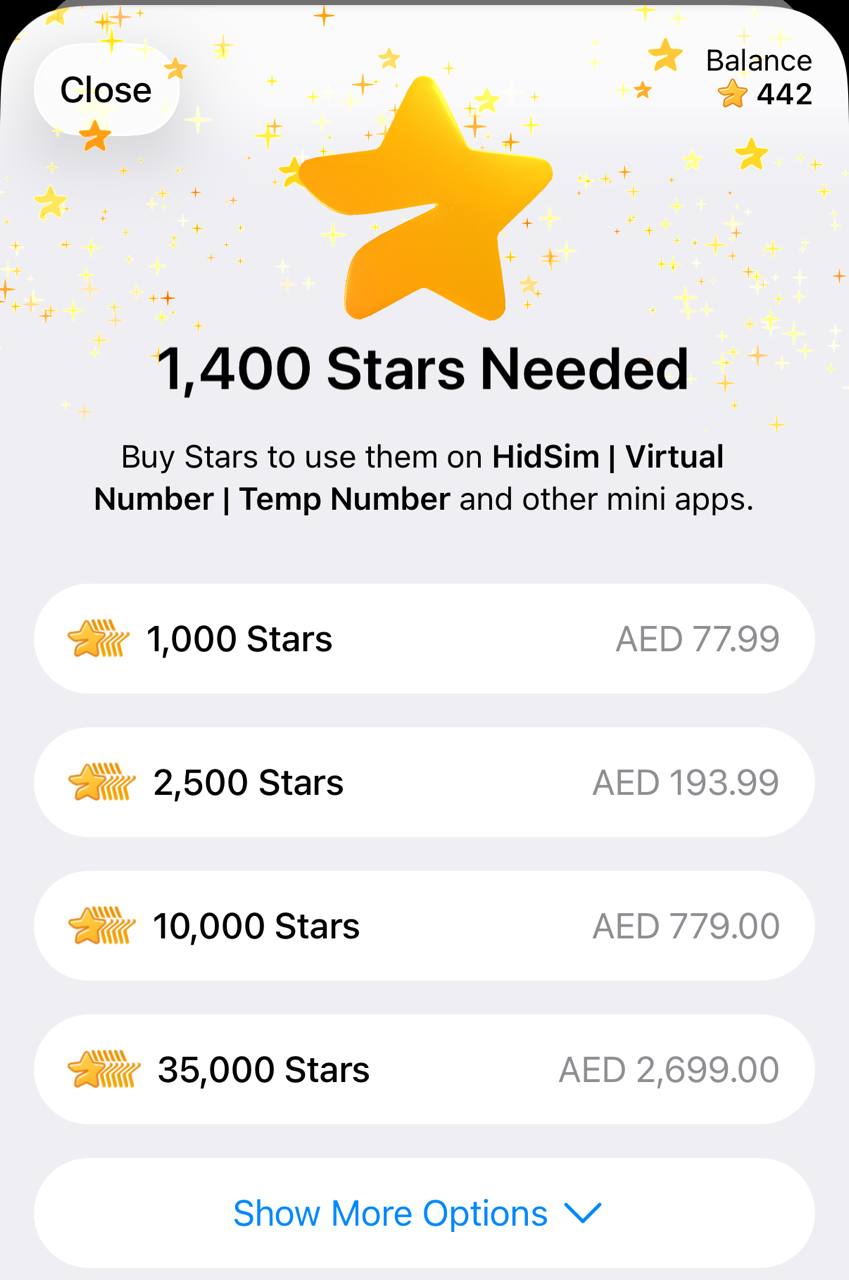
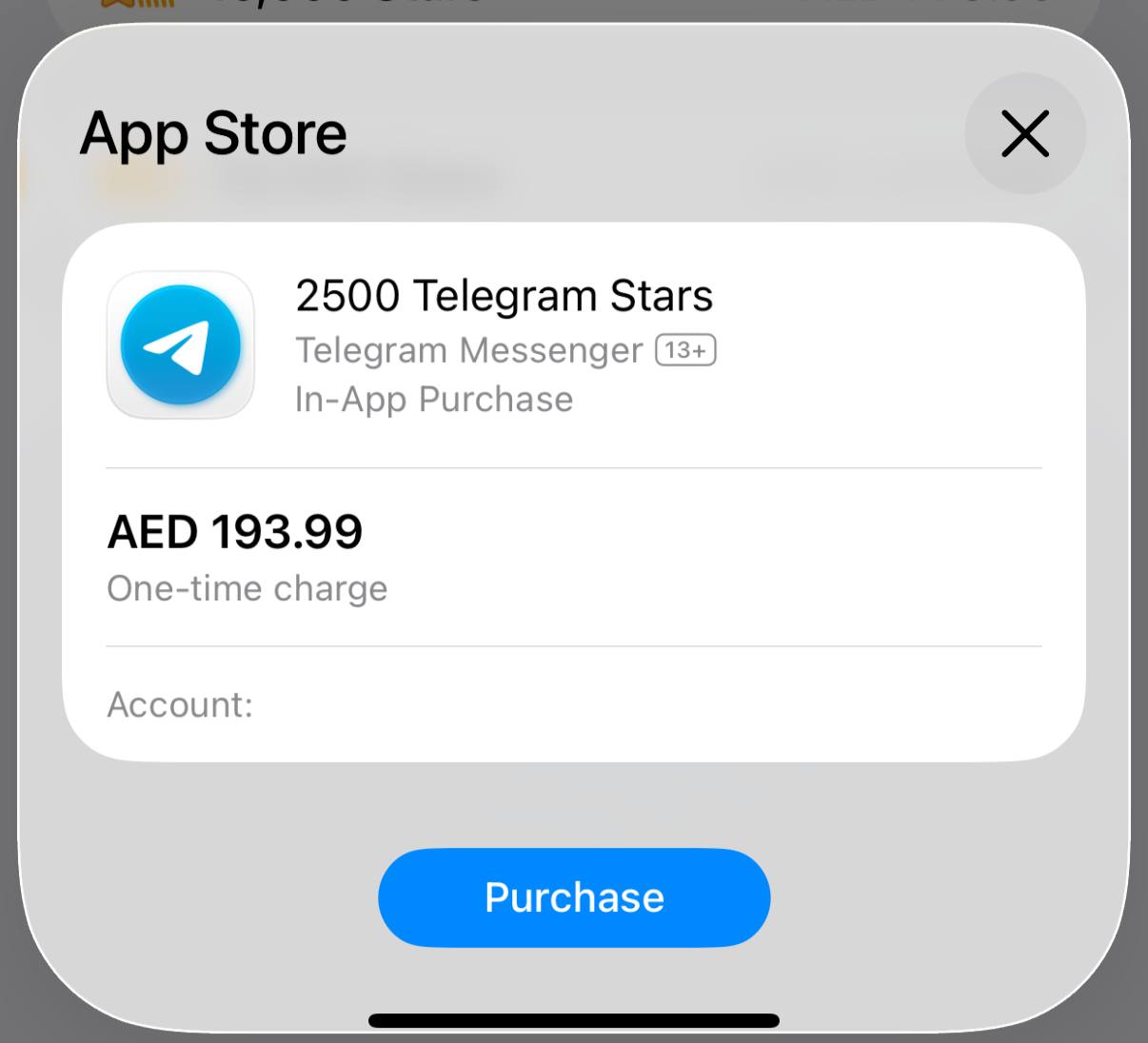
In Telegram, buy the required Stars using your preferred payment method. If you already have enough Stars, you can skip this step.
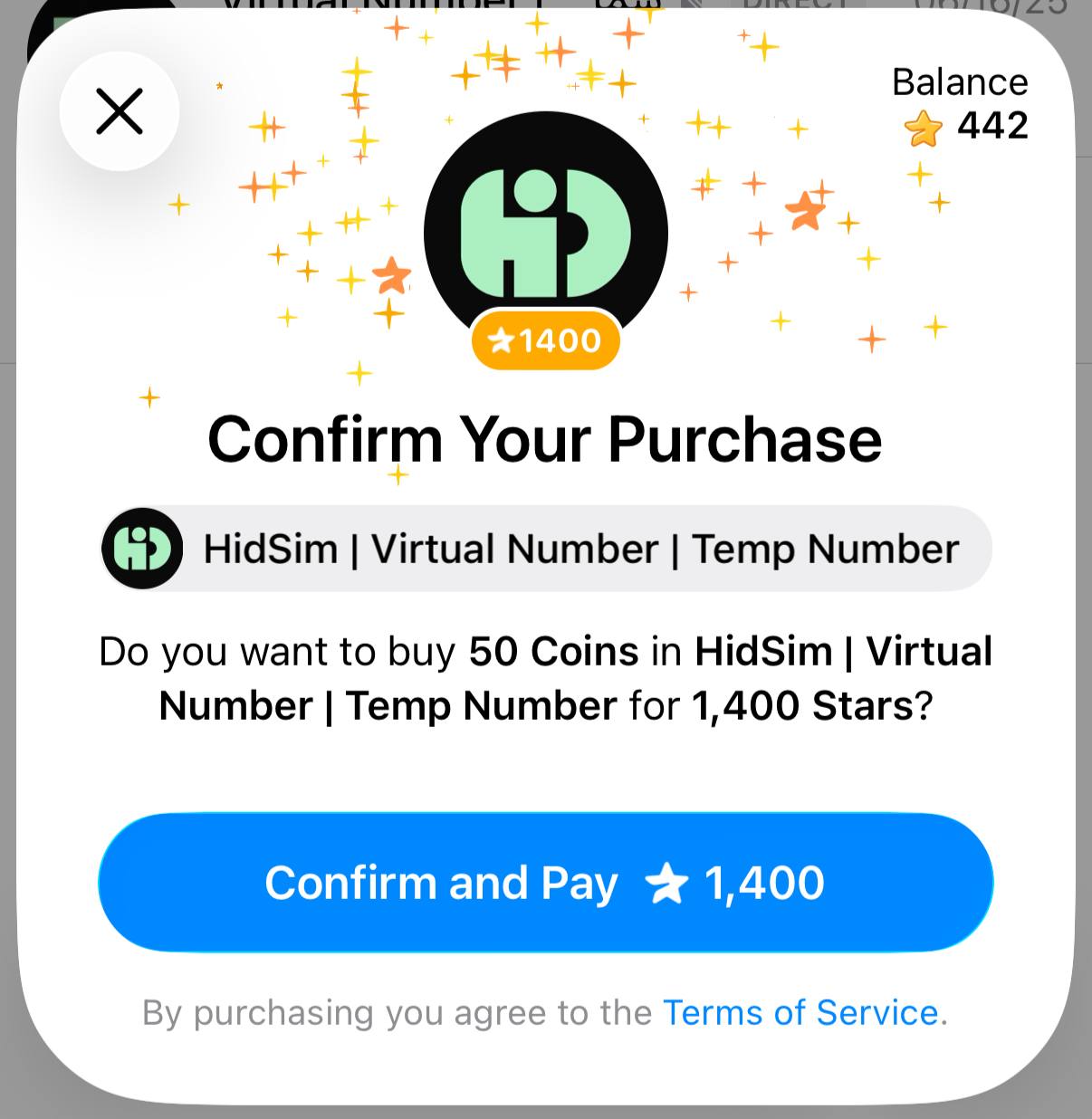
 Step 3: Pay our bot with Stars
Return to the invoice and confirm payment. This step is required to finalize the order and credit your HidSim balance.
Tips
This payment method does not auto-renew. If credits still do not appear, please contact support by email.
- You purchase Stars via the official @PremiumBot in Telegram using your card (or Google Pay, Apple Pay, or other supported methods).
- You use those Stars to pay our bot and complete the HidSim credit purchase.
Step 1: Create the order on HidSim
Open the purchase page, choose your package, and select Pay with Telegram Stars. This generates a Telegram invoice link for your order.
In Telegram, buy the required Stars using your preferred payment method. If you already have enough Stars, you can skip this step.
Return to the invoice and confirm payment. This step is required to finalize the order and credit your HidSim balance.
- If your credits are not added, open Telegram settings and check My Stars to verify whether the Stars purchase completed and whether the Stars payment to our bot was confirmed.
- If card payment fails, try Apple Pay / Google Pay in the Telegram mobile app, or retry from Telegram Web.
- Telegram Stars purchases can appear more expensive than the base website price in some regions. This difference is caused by Telegram channel/payment fees (see Telegram's official Stars documentation), not an extra HidSim charge.
This payment method does not auto-renew. If credits still do not appear, please contact support by email.