Philippines
United Kingdom
Singapore
Taiwan, Province of China
Hong Kong
Japan
United States of America
Macao
Austria
Spain
Germany
Switzerland
Australia
France
Israel
Italy
Netherlands
China
Hungary
Slovakia
Czechia
Malawi
Denmark
Finland
Zambia
Egypt
Malaysia
Portugal
Côte d'Ivoire
Cambodia
Honduras
Turkey
Argentina
Colombia
Nepal
Kenya
Mexico
Norway
Poland
Senegal
Oman
Iceland
Jordan
New Zealand
Chile
Serbia
Sierra Leone
Romania
Venezuela (Bolivarian Republic of)
Belgium
Bolivia (Plurinational State of)
Iraq
Jamaica
Mongolia
Chad
Guinea
Madagascar
Mauritius
United Republic of Tanzania
Suriname
Maldives
Ireland
Benin
Uganda
Gabon
Liberia
Mauritania
Niger
Burkina Faso
Burundi
Qatar
Lebanon
Somalia
Réunion
Central African Republic
Angola
Sudan
Tajikistan
Bulgaria
Thailand
India
Ethiopia
Algeria
Republic of Moldova
Haiti
Mali
Mozambique
Brazil
Georgia
Panama
Armenia
Paraguay
Myanmar
Namibia
Azerbaijan
Cyprus
Lao People's Democratic Republic
Sweden
Ecuador
Croatia
Ghana
Estonia
El Salvador
Gambia
Kuwait
Nicaragua
Tunisia
Guyana
United Arab Emirates
Saudi Arabia
Botswana
Togo
Rwanda
Republic of the Congo
Turkmenistan
Papua New Guinea
Trinidad and Tobago
South Africa
Bangladesh
Greece
Guinea-Bissau
Bosnia and Herzegovina
Bhutan
Indonesia
Guatemala
Cuba
Uzbekistan
Nigeria
Kyrgyzstan
Morocco
Slovenia
Iran
Eswatini
Luxembourg
Albania
Cameroon
Uruguay
Sri Lanka
Peru
Lithuania
Afghanistan
Belize
North Macedonia
Grenada
Equatorial Guinea
Commonwealth of The Bahamas
Timor-Leste
Comoros
Guadeloupe
Barbados
Yemen
Bahrain
Saint Lucia
Zimbabwe
Lesotho
Kongo
Costa Rica
Libya
Cabo Verde
Saint Vincent and the Grenadines
Saint Kitts and Nevis
Puerto Rico
French Guiana
South Sudan
Antigua and Barbuda
New Caledonia
Dominican Republic
Palestine
Turks and Caicos Islands
Solomon Islands
Martinique
Faroe Islands
American Samoa
Latvia
Pakistan
Vietnam
United Kingdom
Belarus
Ukraine
Syria
Morocco
South Korea
Russia
شراء أرقام افتراضية لـ TikTok (TikTok)
يوفر HidSim أرقام هاتف افتراضية مؤقتة وآمنة لاستلام الرسائل القصيرة عبر الإنترنت فورًا. استخدم أرقامنا للتحقق عبر SMS ورموز OTP أثناء التسجيل على منصات شهيرة مثل واتساب وأمازون وفيسبوك وتويتر وغيرها. استمتع باستلام رسائل مجهول وموثوق مع خدمة الأرقام الافتراضية من HidSim لتجربة تحقق سهلة وخالية من التعقيد.
تسليم فوري
آمن ومجهول
العملات المشفرة مقبولة
ادفع فقط مقابل الرموز المستلمة
الأسئلة الشائعة
إجابات سريعة حول شراء الأرقام واستلام الرموز والاسترداد ومدة التفعيل.
كيف أحصل على رقم افتراضي؟
يمكنك شحن رصيدك بالعملات المشفرة أو بطاقات Visa. كما يمكنك تثبيت تطبيقنا من App Store أو Google Play وشراء حزم العملات داخل التطبيق. بعد الشحن، اختر الخدمة والدولة المطلوبة ثم اشترِ الأرقام الافتراضية بعملاتك.
ماذا يحدث إذا لم أتلقَّ الرمز؟
قد تكون هناك عدة أسباب مثل مشاكل الشبكة أو تأخير من الخدمة المرسلة. يمكنك إلغاء التفعيل والمحاولة برقم جديد؛ سيتم ردّ المبلغ تلقائيًا إلى رصيدك. استخدام VPN أو وكيل من بلد الرقم قد يساعد على تحسين التسليم.
كم مدة توفر الأرقام لي؟
عند شراء رقم تملكه لمدة 15 إلى 20 دقيقة تقريبًا حسب المزوّد، وتعرض بطاقة الرقم الوقت المتبقي. خلال هذه الفترة أدخل الرقم في الخدمة المطلوبة. سيراقب HidSim وصول الرمز ويعرضه على بطاقة الرقم في «أرقامي». عند وصول الرمز يكتمل الطلب. يمكن لبعض الأرقام استلام رمز آخر قبل انتهاء وقتها، وعندها تعرض بطاقتها طلب رمز آخر.
لماذا حُظر رقمي من قِبل خدمة؟
قد يحدث بسبب نمط الاستخدام أو مشاكل عنوان IP أو اعتباره آليًا. لتفادي ذلك استخدم اسمًا وصورة حقيقية وتفاعل بشكل طبيعي وتجنّب الحصول على أرقام بسرعة متتالية، وفكّر باستخدام VPN مطابق لبلد الخدمة.
لماذا لا أتلقى رمزًا لخدمات تيليجرام؟
لأول تسجيل دخول في تيليجرام تجنّب استخدام اللابتوب أو الأجهزة اللوحية. استخدم هاتفًا محمولًا لإنشاء الحساب أولاً. بعد إكمال التسجيل يمكنك نقل الحساب لأجهزة أخرى.
هل يمكنني تلقي رمز لنفس الرقم أكثر من مرة؟
في كثير من الأحيان نعم. إذا سمح مزوّد الرقم برسالة أخرى عليه، تعرض بطاقة الرقم في أرقامي زر طلب رمز آخر بعد وصول الرمز الأول وحتى انتهاء وقت الرقم. الخدمة مجانية: اضغط عليه ثم اطلب من الخدمة إرسال رمزها مرة أخرى. ينتظر الرقم حتى 10 دقائق إضافية، ويظهر الرمز الجديد على البطاقة نفسها. إذا لم يظهر الزر فلا يمكن لهذا الرقم استلام رمز آخر، وستحتاج إلى رقم جديد. الرقم الذي استلم رمزًا لا يُسترد، حتى إن لم يصل رمز ثانٍ.
ماذا أفعل إذا لم تصل رموز الرسائل القصيرة في منطقتي أو لدى مزوّدي؟
إذا حاولت عدة مرات ولم يصل أي رمز تحقق عبر الرسائل القصيرة، فاضغط استرداد على بطاقة الرقم عندما يُفتح (بعد 5 دقائق من شراء الرقم)، أو اتركه حتى تنتهي مدته فيُسترد تلقائيًا، ثم جرّب رقمًا جديدًا؛ وإذا لم تصل الرموز بعد ذلك، فاختر دولة أخرى. قد يتأثر وصول الرمز بالخدمة المرسِلة أو بالتوجيه الإقليمي أو بقيود شركات الاتصال أو بتأخيرات مؤقتة في الشبكة. إذا استمرت المشكلة، فأنشئ تذكرة دعم واذكر فيها اسم الخدمة والدولة والرقم الذي اشتريته والوقت التقريبي لمحاولتك حتى يتمكن فريقنا من فحص المشكلة.
كيف أدفع باستخدام نجوم Telegram؟
شراء العملات عبر Telegram عملية بسيطة من خطوتين:
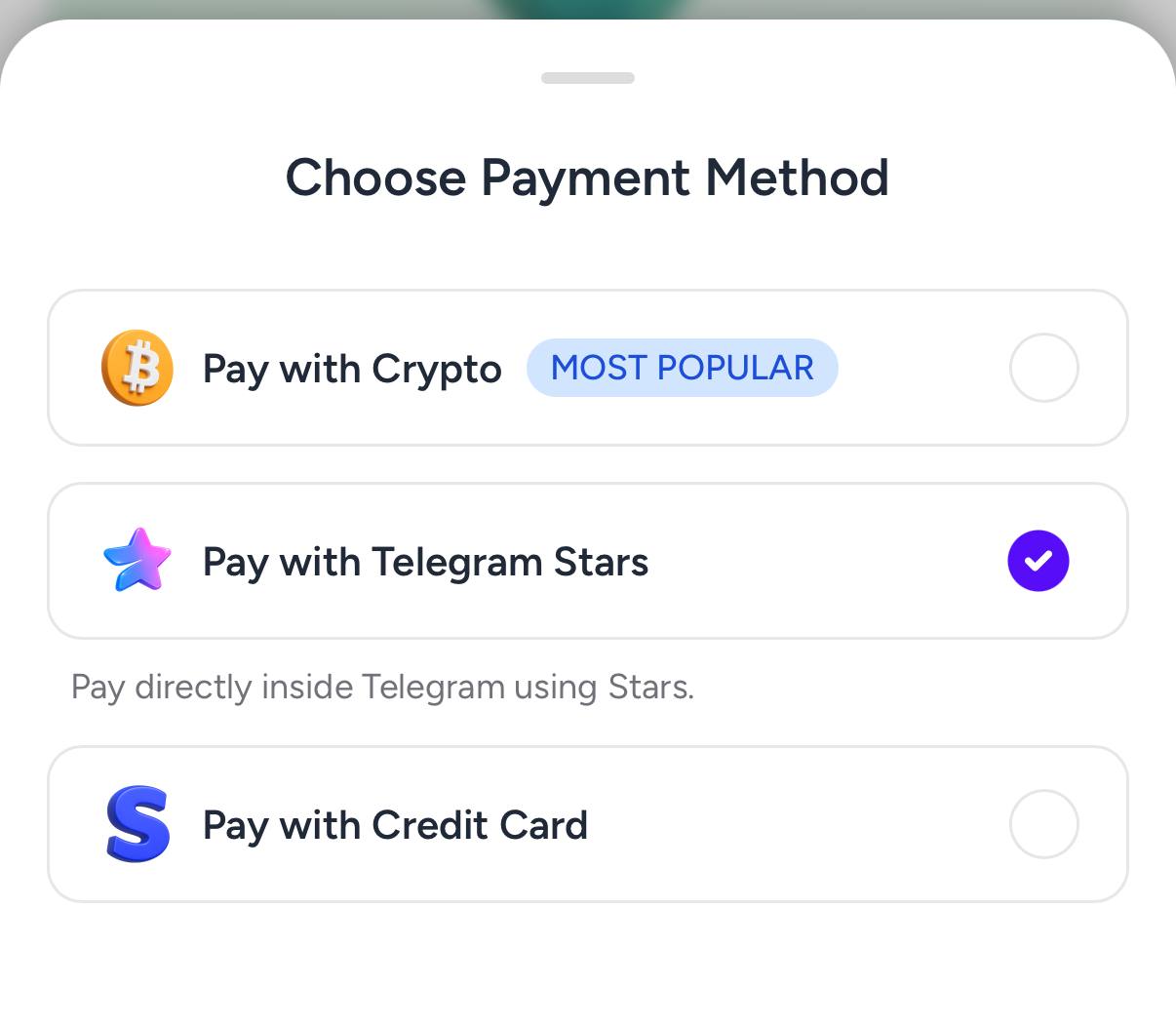
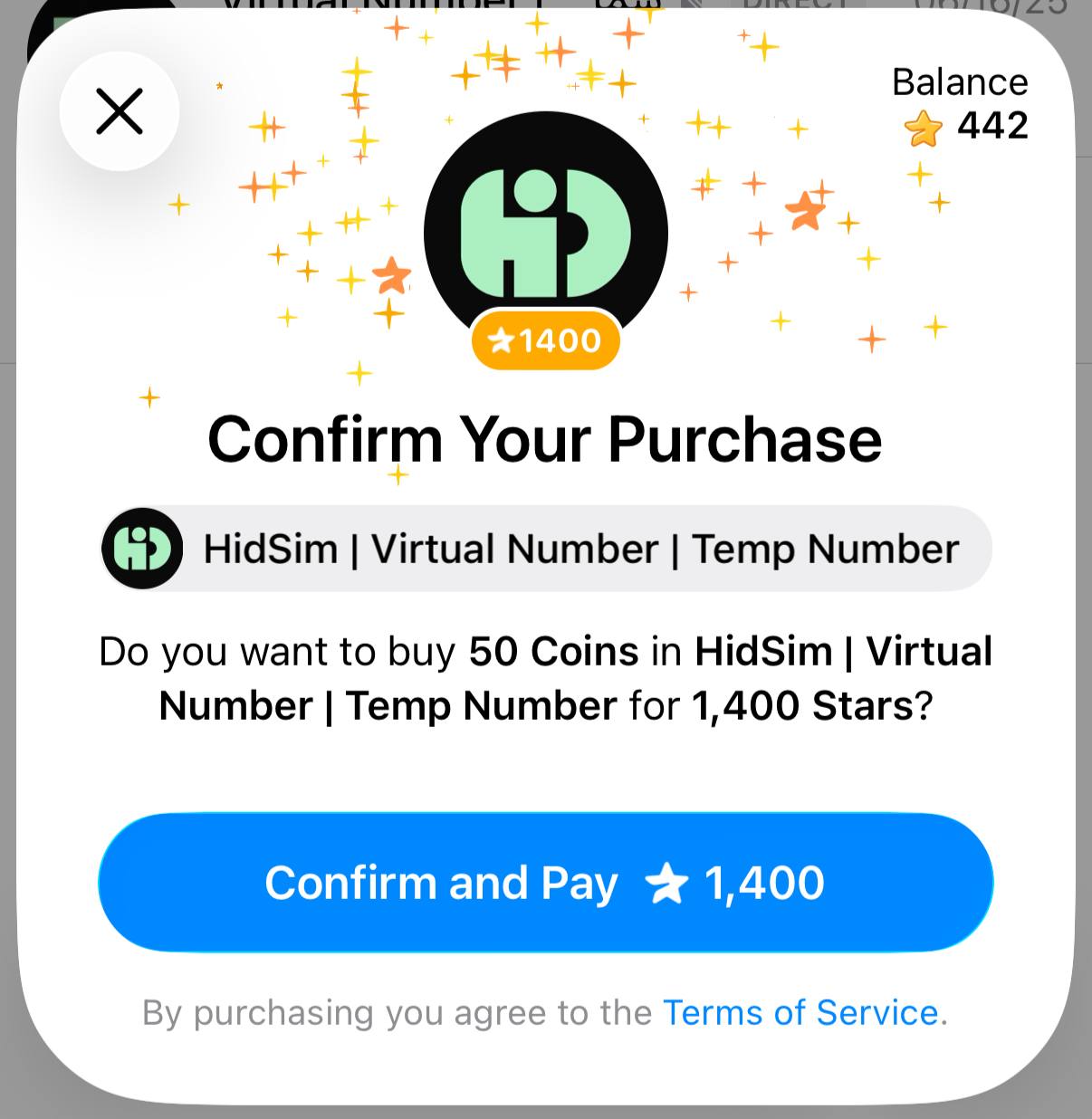
الخطوة 1: أنشئ الطلب على HidSim
افتح صفحة الشراء واختر حزمتك، ثم اختر الدفع بنجوم Telegram. ينشئ ذلك رابط فاتورة Telegram لطلبك.
 الخطوة 2: اشترِ النجوم في Telegram
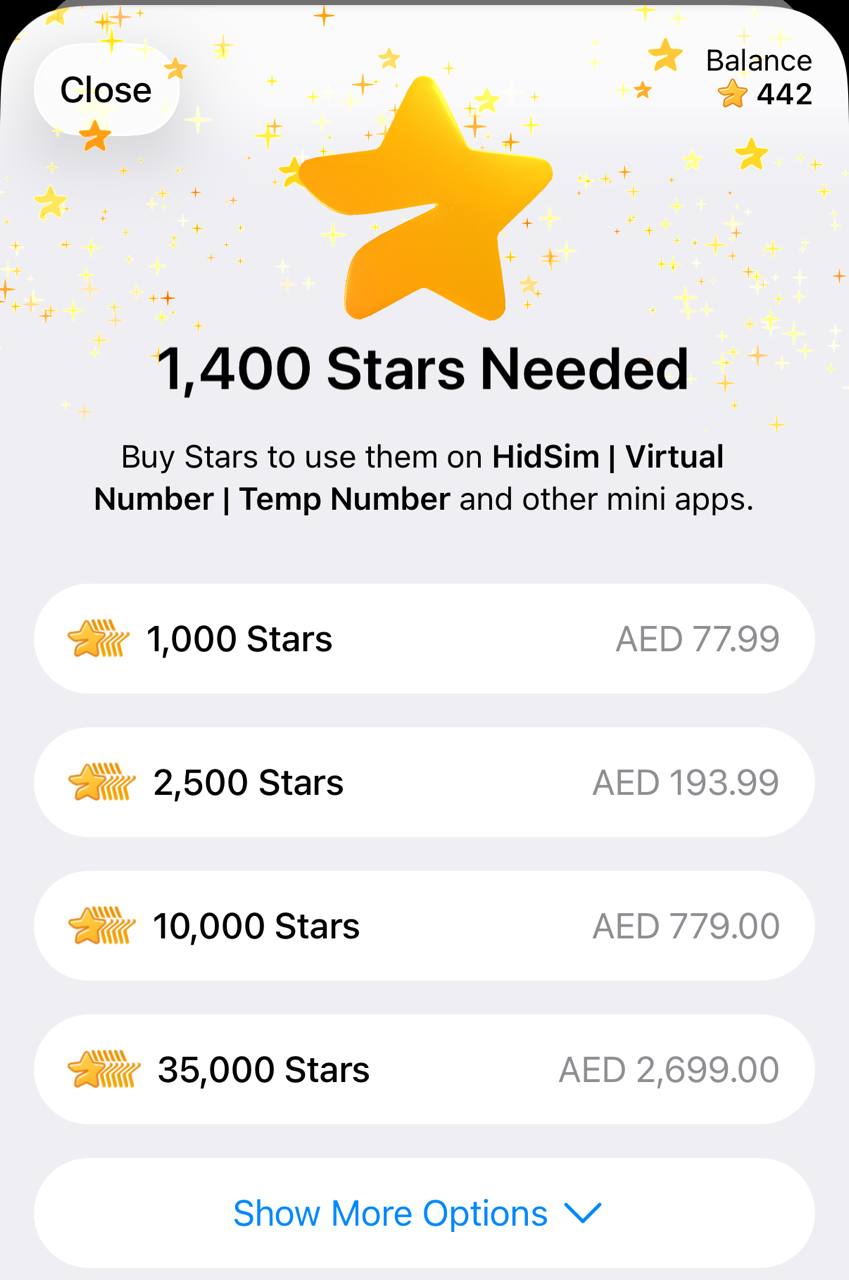
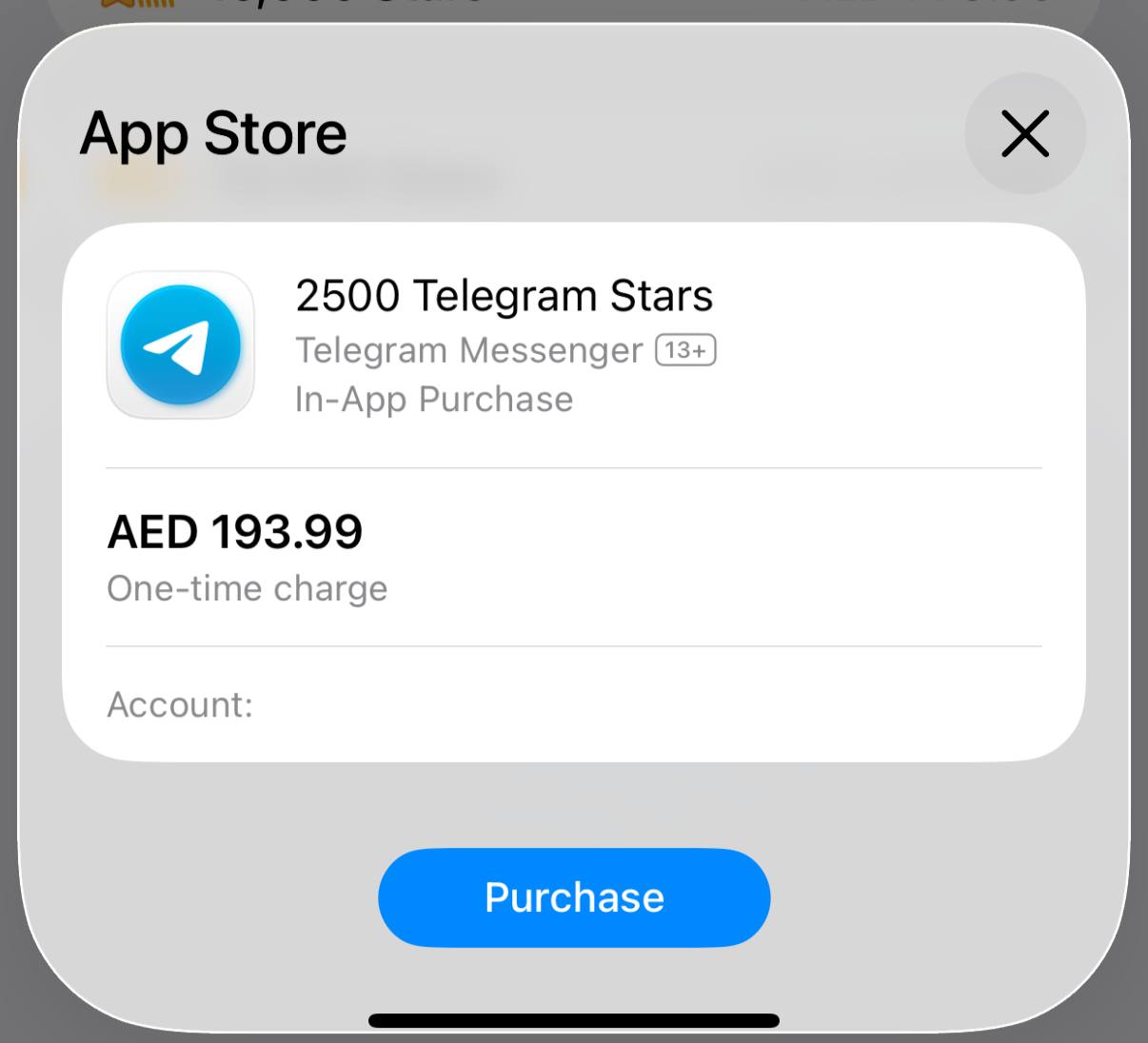
في Telegram، اشترِ النجوم المطلوبة بطريقة الدفع التي تفضلها. إذا كان لديك ما يكفي من النجوم، يمكنك تخطي هذه الخطوة.
 الخطوة 3: ادفع لبوتنا بالنجوم
عُد إلى الفاتورة وأكّد الدفع. هذه الخطوة ضرورية لإتمام الطلب وإضافة العملات إلى رصيدك في HidSim.
نصائح
طريقة الدفع هذه لا تتجدد تلقائيًا. إذا لم تظهر العملات بعد ذلك، يرجى التواصل مع الدعم عبر البريد الإلكتروني.
- تشتري النجوم (Stars) عبر @PremiumBot الرسمي في Telegram باستخدام بطاقتك (أو Google Pay أو Apple Pay أو طرق أخرى مدعومة).
- تستخدم تلك النجوم للدفع لبوتنا وإتمام شراء عملات HidSim.
الخطوة 1: أنشئ الطلب على HidSim
افتح صفحة الشراء واختر حزمتك، ثم اختر الدفع بنجوم Telegram. ينشئ ذلك رابط فاتورة Telegram لطلبك.
في Telegram، اشترِ النجوم المطلوبة بطريقة الدفع التي تفضلها. إذا كان لديك ما يكفي من النجوم، يمكنك تخطي هذه الخطوة.
عُد إلى الفاتورة وأكّد الدفع. هذه الخطوة ضرورية لإتمام الطلب وإضافة العملات إلى رصيدك في HidSim.
- إذا لم تُضف العملات، فافتح إعدادات Telegram وتحقق من نجومي لمعرفة ما إذا اكتمل شراء النجوم وما إذا تأكد الدفع بالنجوم لبوتنا.
- إذا فشل الدفع بالبطاقة، فجرّب Apple Pay / Google Pay في تطبيق Telegram على الجوال، أو أعد المحاولة من Telegram Web.
- قد تبدو مشتريات نجوم Telegram أغلى من سعر الموقع الأساسي في بعض المناطق. يعود هذا الفرق إلى رسوم القناة والدفع في Telegram (راجع التوثيق الرسمي للنجوم من Telegram)، وليس إلى رسوم إضافية من HidSim.
طريقة الدفع هذه لا تتجدد تلقائيًا. إذا لم تظهر العملات بعد ذلك، يرجى التواصل مع الدعم عبر البريد الإلكتروني.
هل أستخدم رقم HidSim للتحقق من حساب Apple؟
أرقام HidSim مؤقتة ومخصصة للتحقق لمرة واحدة عبر الرسائل القصيرة فقط. لا ننصح باستخدامها للخدمات الدائمة مثل Apple ID أو الحسابات الأخرى التي قد تحتاج إلى الدخول إليها لاحقًا. إذا طلبت Apple رقم هاتف سيبقى مرتبطًا بحسابك، فاستخدم رقمًا شخصيًا أو طويل الأمد من الدولة الصحيحة بدلًا من رقم HidSim المؤقت.
كيف أختار أفضل رقم لاستلام رمز OTP؟
رتّب المنتجات أولًا حسب الجودة من الأعلى إلى الأدنى، وعند المقارنة بين خيارات متقاربة في الجودة فضّل السعر من الأعلى إلى الأدنى. الأرقام الرخيصة جدًا قد تأتي على الأرجح من نطاقات مستهلكة بكثرة أو مصنّفة كرسائل مزعجة، ما قد يقلل فرصة استلام رمز OTP. إذا لم يصل الرمز، فألغِ التفعيل لاسترداد المبلغ وجرّب خيارًا آخر بجودة أعلى.